OpenTag user guide


Tag, rename and organize your music
OpenTag edits the metadata inside your audio files: titles, artists, albums, track numbers and cover art. Start with a copy of an album, learn to edit and save its tags, then give the files consistent names.
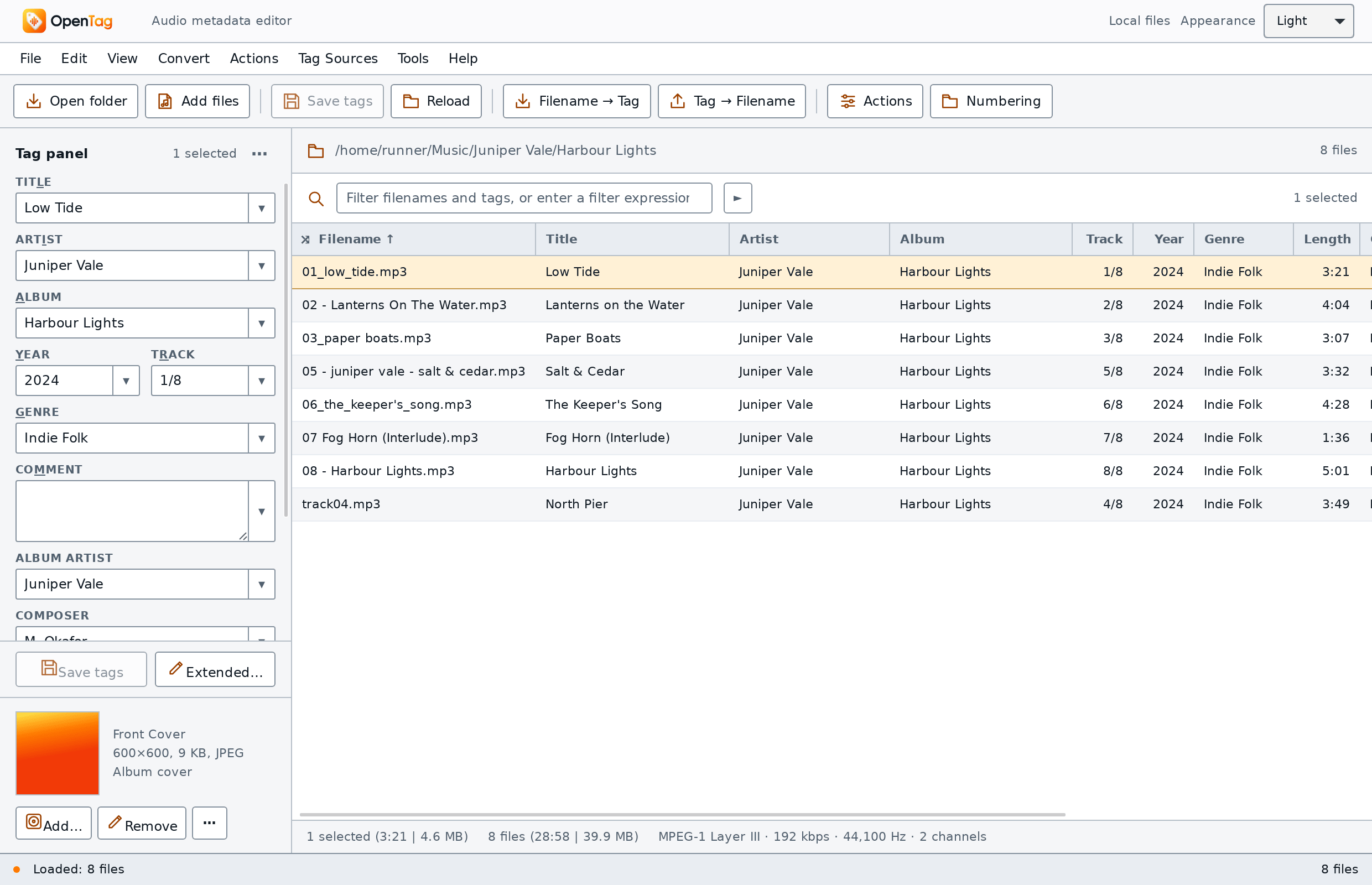
An evolving editor and guide
OpenTag is in development. This guide covers desktop workflows; mobile builds and simulator previews have different capabilities. Check the release notes for available packages and limitations. OpenTag is an independent project; complete Mp3tag compatibility remains a goal.
Learn by doing
-
Your first tagging session
Open an album, change tags on one file and a selection, rename the files, and undo a change.
-
Give track numbers two digits
Rename
2 Low Tide.mp3to02 Low Tide.mp3so files sort in order. -
Get tags from names
Use your existing artist and album folders to fill empty tags.
-
Keep guest artists in titles
Build an action group that moves “feat.” names from the artist field into the title.
Build on the first session
| What you want to learn | Start here |
|---|---|
| Install, open files and understand the workspace | Start using OpenTag, installation and the main window |
| Edit shared fields and decide when to save | The tag panel and Editing, saving and undo |
| Transfer or remove stored tags | Cut, copy and paste tags and Removing tags |
| Inspect the list, unfamiliar fields and artwork | The file list, Extended tags and Working with covers |
| Understand metadata and native storage | What tags are, tag formats and track/disc numbers |
| Set up your workspace and locate text | Configure columns, customize the tag panel and Find |
| Clean text and artist credits in a safe order | Trim spaces, trailing annotations, artist lists and Artist - Title |
| Correct text encoding or keep only reviewed fields | Capitalization exceptions, mojibake repair and a field keep list |
| Work through an album's numbering | Split track totals, number per folder, disc numbers and year text |
| Understand and manage embedded artwork | Cover-art concepts, embed folder images, resize covers and keep front covers |
| Inspect incomplete or unusual files | Missing fields, missing embedded covers and bitrate thresholds |
| Keep display, sort order and loudness metadata distinct | Sort fields and compilations and ReplayGain |
| Combine fields, functions and fallback values | Format strings from zero, then the 64-function reference |
| Match, capture and clean patterned text | Regular expressions from zero, then regex syntax and examples |
| Repeat several changes in order | Build your first action group, then all action types |
| Build folder paths for albums, discs and compilations | Artist/album folders, multi-disc albums and compilations |
| Load or create playlists and understand chapter rows | Playlists, one playlist per album folder and chapters/CUE rows |
| Rename files, import text or number albums | Converters and auto-numbering |
| Create a catalogue or spreadsheet | Export a CD catalogue, then CSV and the template language |
| Parse a web source you control | Write a source from local JSON, then the command reference |
Look up the syntax
- Format strings: combine tags, text and functions to build a value or filename.
- Placeholders: read tag values and file
properties such as
%artist%,%title%and%_filename%. - Regular expressions: match, extract and replace text, with worked examples.
For everyday lookup, see Options, keyboard shortcuts, filter syntax and field mappings. Context and helper menus explain cover commands, field suggestions and named history entries; the menu reference helps locate each control.
Use the search box (press S or /) to find a topic in this guide. More topics are being written; only completed pages appear here.
Get help and follow changes
Download installers and read changes on the GitHub releases page. If a step in this guide differs from your build, report it on GitHub, including your OpenTag version, operating system and the steps you tried.